Insight’s Reseller Admin Portal (RAP)
User Guide
11 – End Customer Credit Limit
How to set a credit limit on your end-customer accounts
After you create a new customer, the credit limit is set to 1.00 by default.
You can update the credit limit at any time, if needed.
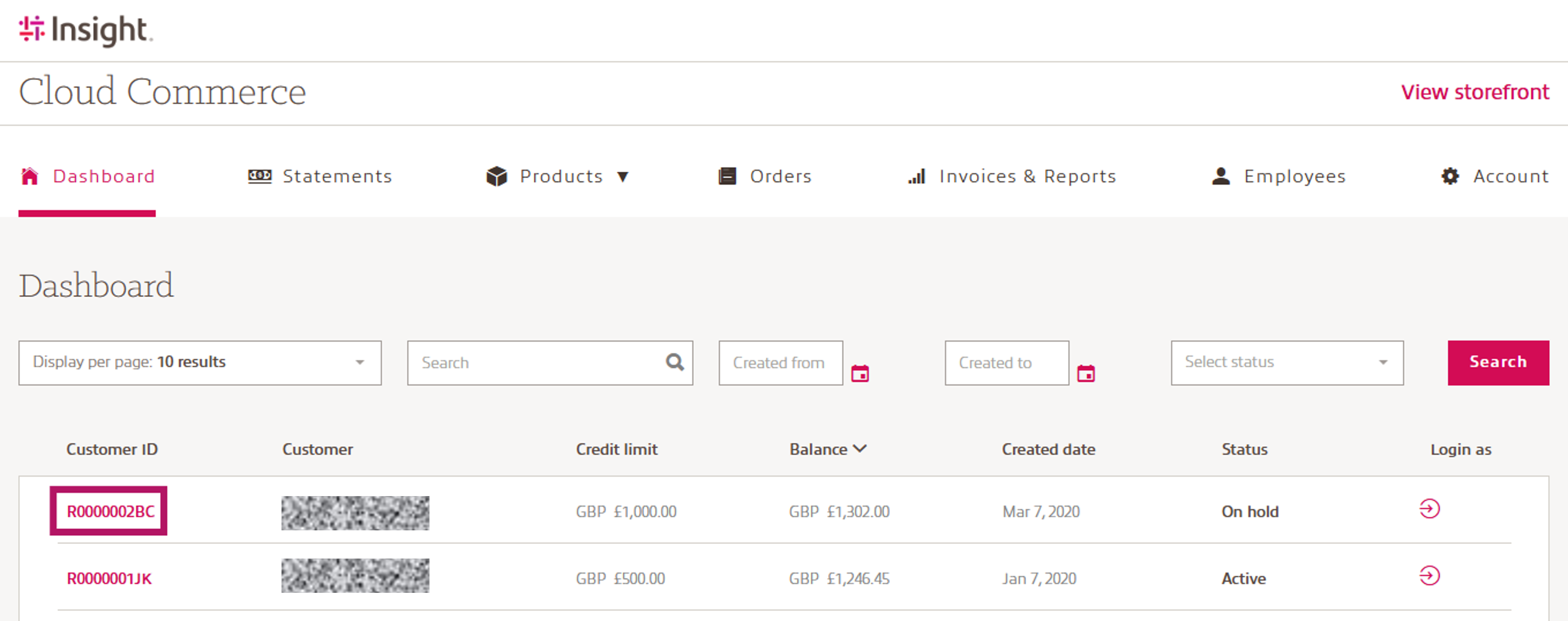
From the Dashboard, select the Customer ID for the account you want to update:
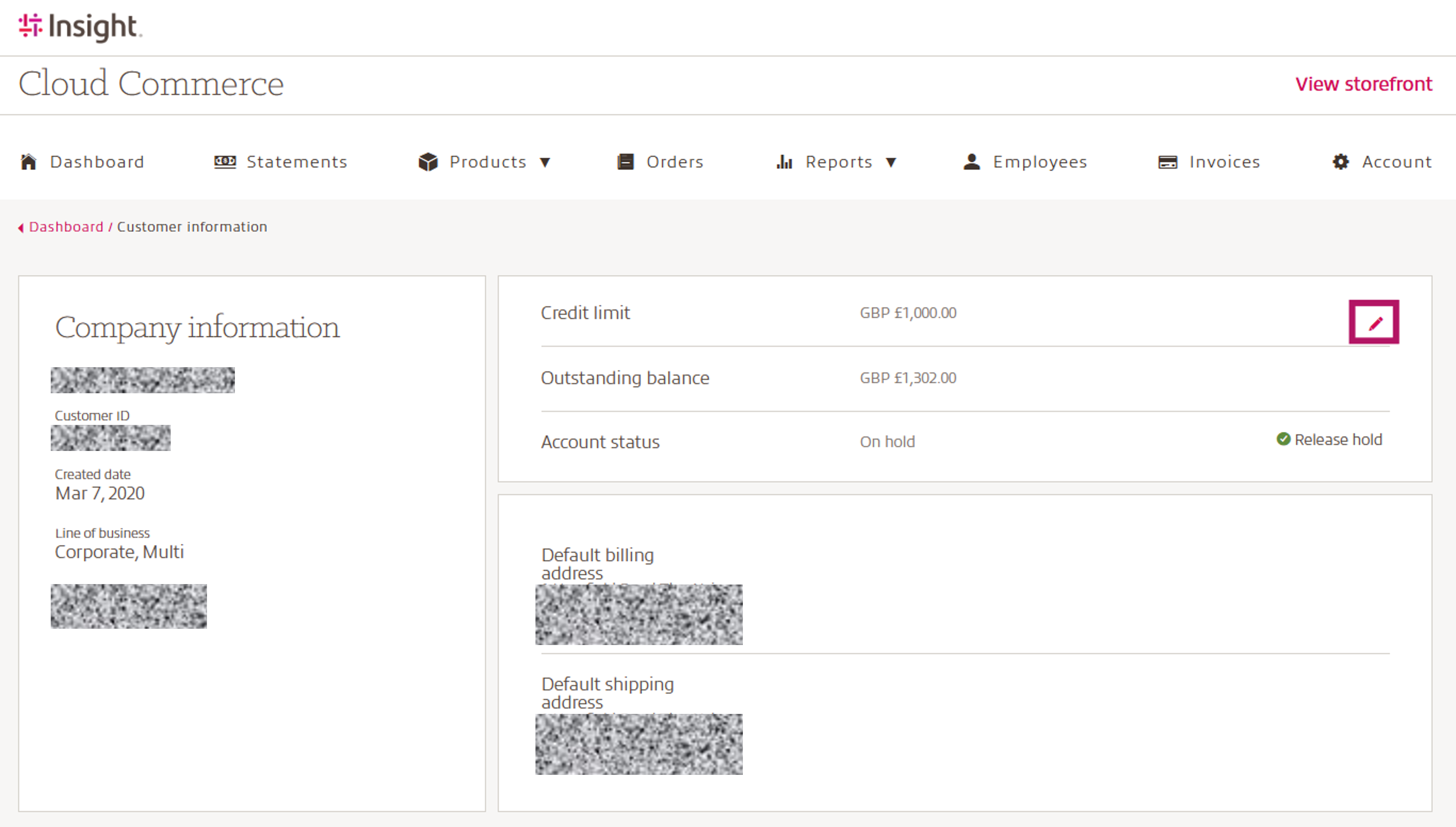
Select the pencil icon to the right of the credit limit.
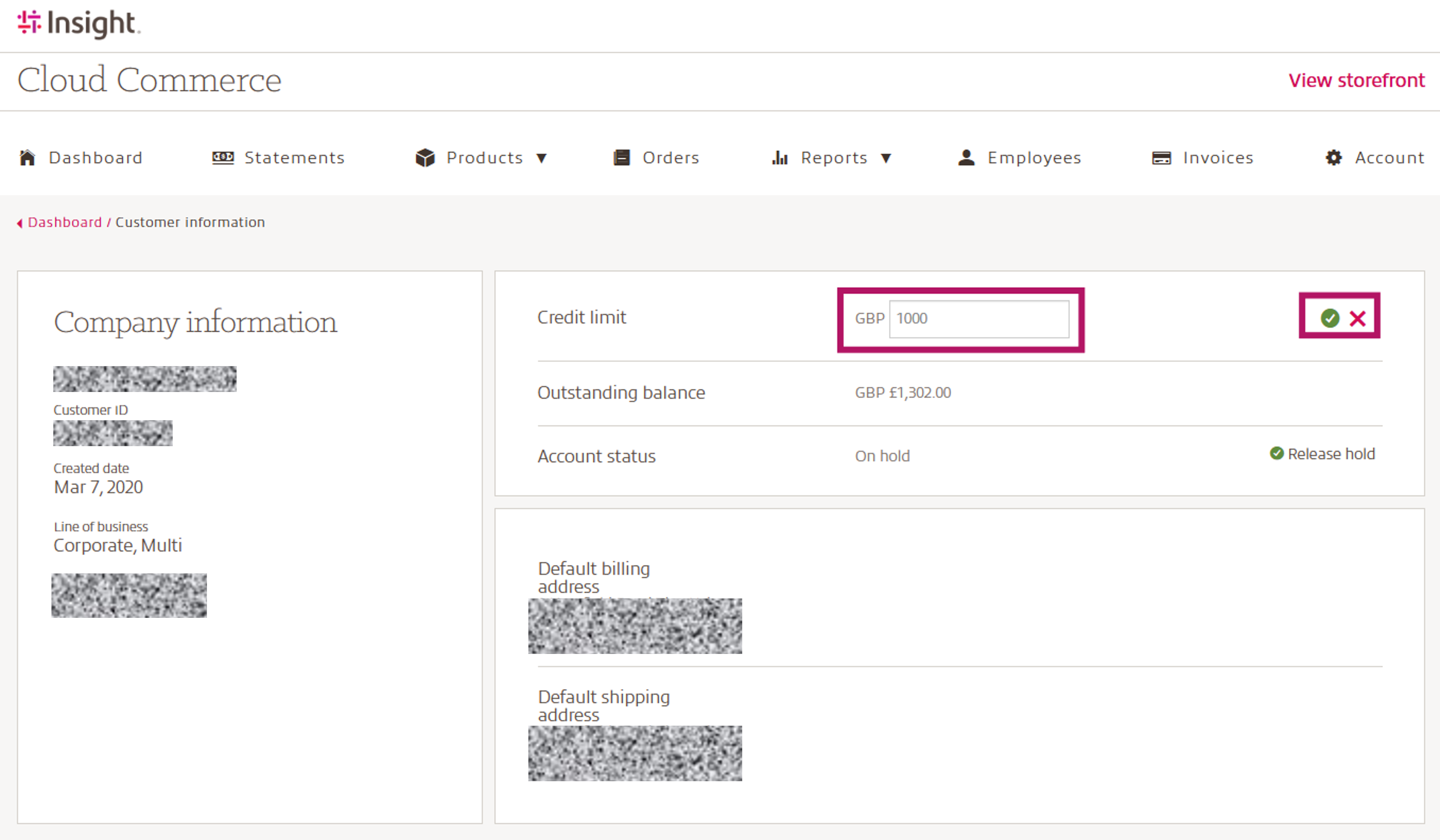
Update the credit limit as shown below:
- Select the check mark to confirm the change
- Select the X to cancel
Credit checks are performed against the set credit limit based on the total value of the term (extended term) compared with the available credit.
Example: A monthly SKU priced at $10.00 per month with a 36-month term requires $360.00 in available credit ($10 x 36).
Outstanding end-customer statements for the customer will also reduce the available credit.
New end-customer credit limits default to 1.00 so you can validate initial orders.
Orders that exceed the available credit must be reviewed by the reseller. After you validate the customer, update the credit limit as described above so future orders can be placed without review.