Insight’s Reseller Admin Portal (RAP)
User Guide
9 – Account Information
Account Page
When you log into RAP, you will land on the Dashboard page. Use the top menu to navigate to the Account list page.
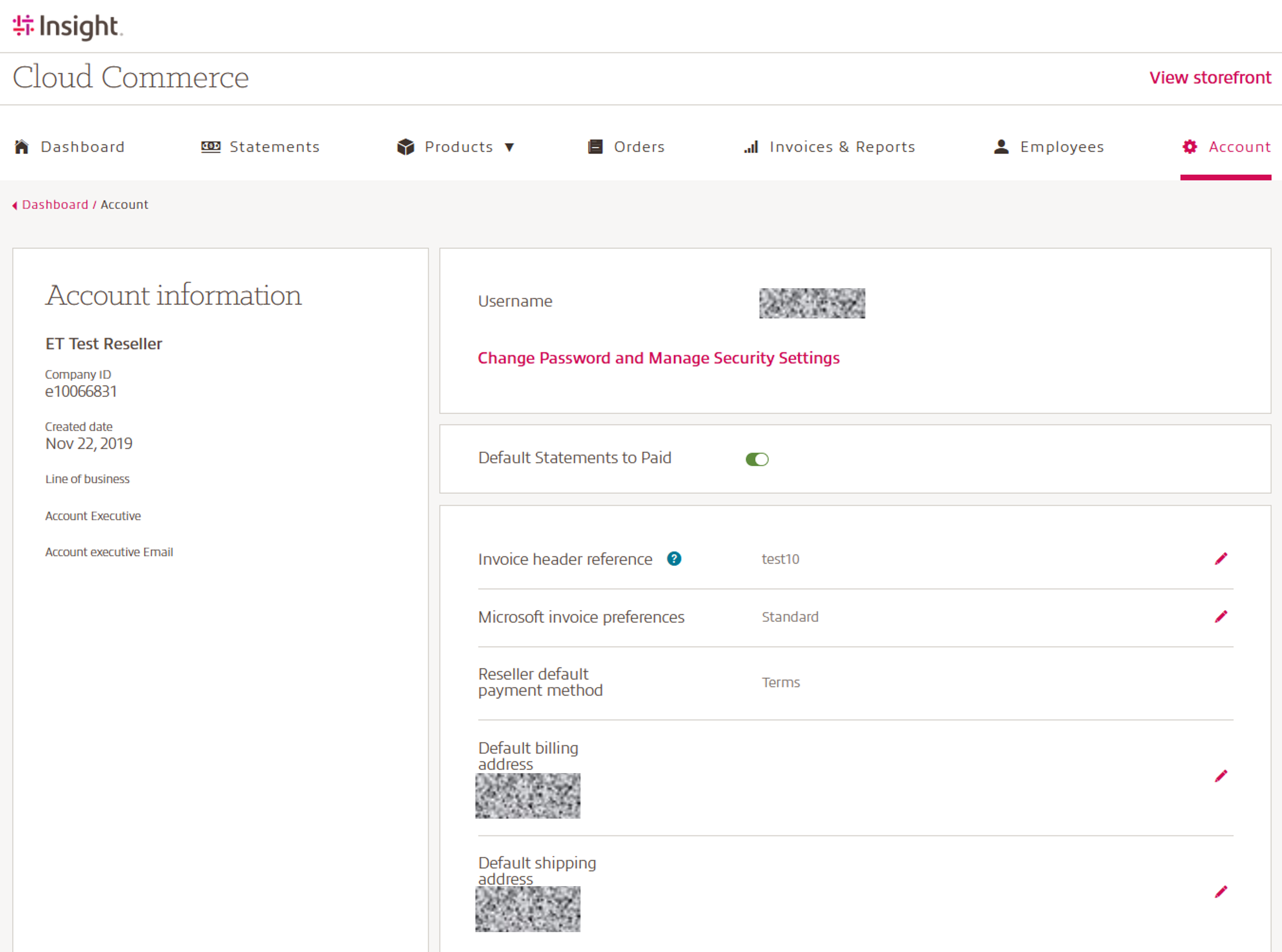
This page is your central location to view your Account information.
The Account page includes the specifics of your Insight Cloud Care account after you onboarded has been completed.
The details displayed on the page include:
- Customer Name: Your Insight company name
- Company ID: Your Insight sold-to account number
- Line of Business
- Account Executive
- Account Executive Email address
- Username: Your user email address
- Change password and Manage Security Settings: for more information visit our CCx User Guide 2 – Identity & Security
- Default Statements to Paid: On/Off
- Invoice header information
- Microsoft invoice preferences:
Standard: Invoices will remain as they are today
By Purchase Order Number: Each different Purchase Order Number will generate its own Invoice. Subscriptions without a Purchase Order Number will be split on to their own invoice. You can update the Purchase Order Number in the Subscription Detail Page.
Split Azure and 365 to two separate invoices: Two invoices will be generated, one containing all Azure consumption, Reservations, Marketplace, etc. and one containing all 365 license subscriptions (including Perpetual, Software Subscriptions, etc.).
Note: If you are already using split invoicing by billing or shipping address, those separate invoices will remain in place and will be in addition to the options above. Any change made to invoice preferences after the 10th of the month may not be available until the following billing cycle. - Reseller default payment method
- Default billing address
- Default shipping address