Insight’s Reseller Admin Portal (RAP)
User Guide
4 – Statements
Statements Page
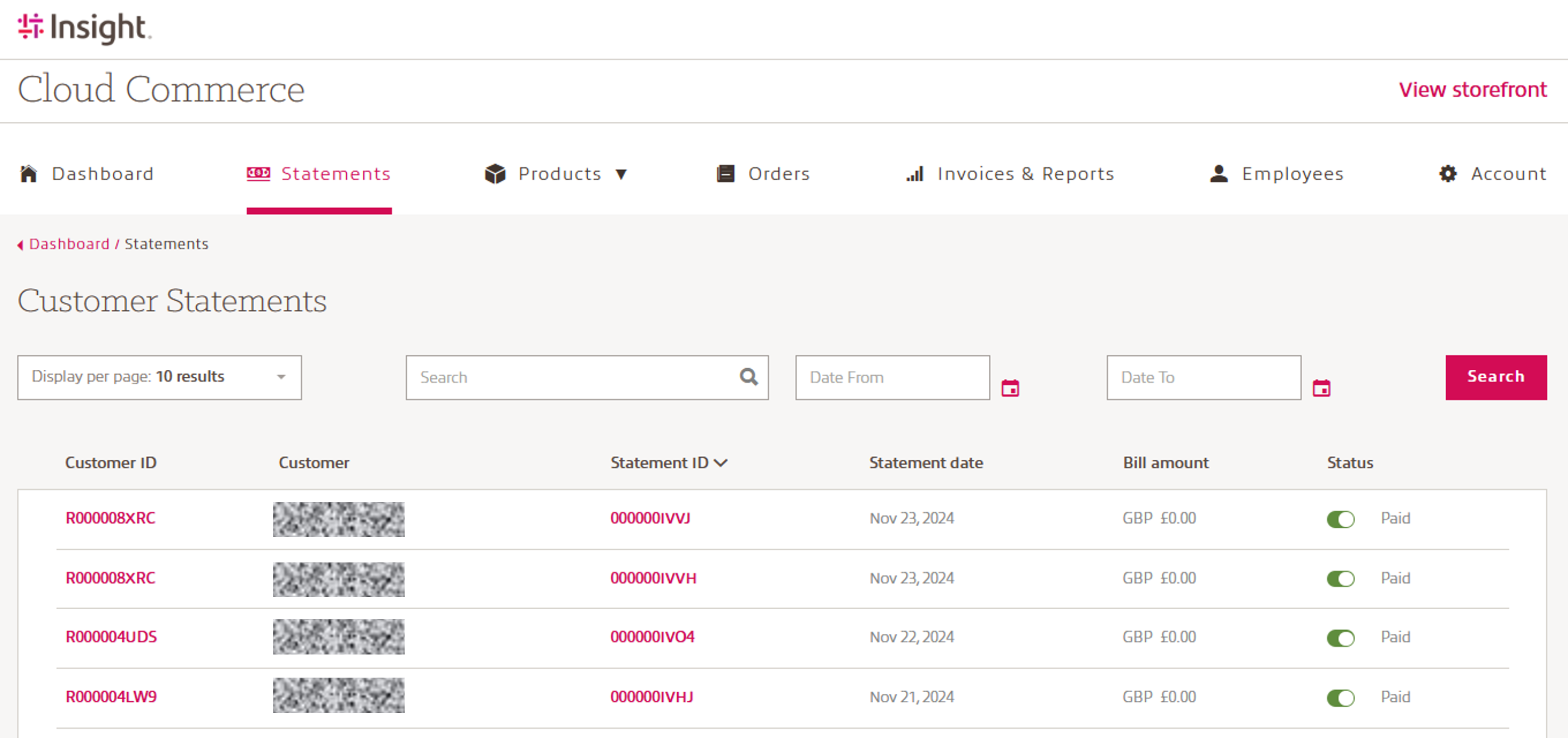
When you log into RAP, you will land on the Dashboard page. Use the top menu to navigate to the Statements page. This page provides resellers with a centralized view of customer billing statements related to their cloud business.
What can you do on the Statements page?
View customer statements in a tabular format, including:
- Customer name
- Customer ID
- Statement ID
- Statement date
- Billing currency and amount
- Payment status (e.g. Paid)
Search and filter statements using:
- Date range filters (From / To)
- Free‑text search across customers and statements
Navigate through multiple pages of historical statements using pagination controls.
Biling transparency:
Each statement clearly shows the billing amount and currency.
Payment status is displayed at a glance to help track completed and settled charges.
Who should use the info on this page:
This page is intended for reseller administrators and finance users who need quick access to customer billing statements for review, reconciliation, or record‑keeping purposes.