Insight’s Reseller Admin Portal (RAP)
User Guide
3 - RAP Dashboard
Your Starting Point: The RAP Dashboard
When you sign in to RAP, you will land on the Dashboard, which serves as your central starting point.
Use the top navigation menu to access other areas of the platform as needed. For detailed explanations of each menu item and its functionality, please refer to the available user guides.
The Dashboard also provides a list and quick access to your end-customers, including a snapshot of the following information (from left to right).
- Customer ID: Insight’ end-customer ID within RAP
- Customer Name
- Credit Limit: end customers assigned credit limit
- Balance: outstanding balance
- Created date: date of end-customer creation
- Status: end-customer status (Active, on-hold)
- Login as: Icon to log in as the end customer
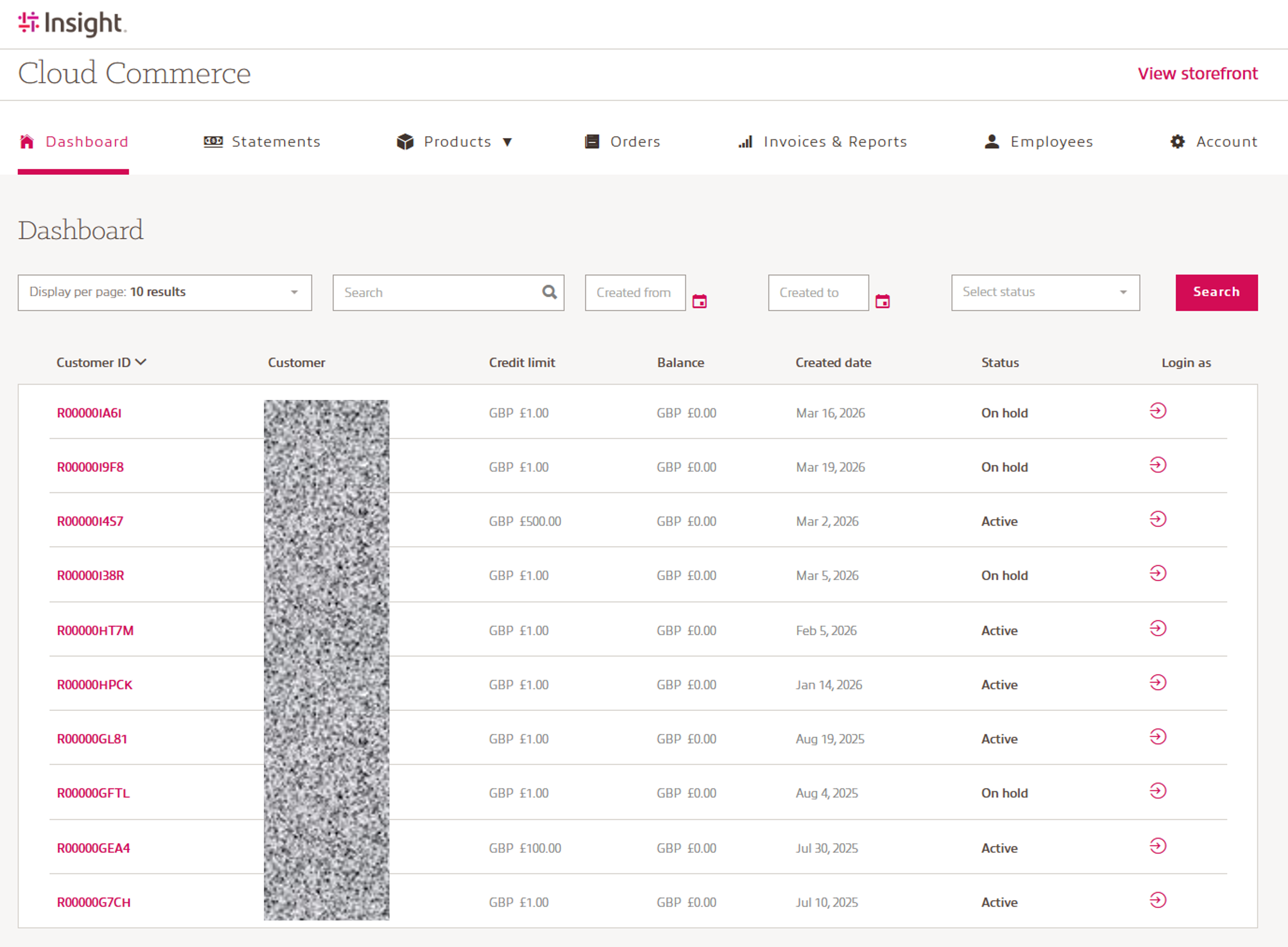
Use the filter options to search, or click the menu item to sort.