Insight's Cloud Commerce Platform (CCx) User Guide
14-2 - Adobe Cancellations
How to process cancellations for Adobe VIP Marketplace products:
CCx is your platform to get the licenses you need. The following details provide instructions on how to cancel/return your Adobe VIP marketplace purchases within CCx.
The Adobe Marketplace VIP Cloud Services Agreement contains the terms & conditions accepted when purchasing Adobe cloud products in CCx, including detailed information on renewal and cancellation.
When a new Adobe product is purchased or renews, Insight allows the cancellation within 14 calendar days from the time of order or renewal only.
- Full credit will be applied for cancellation within 24 hours.
- Prorated refund for cancellation on days two through fourteen.
How to cancel Adobe subscriptions:
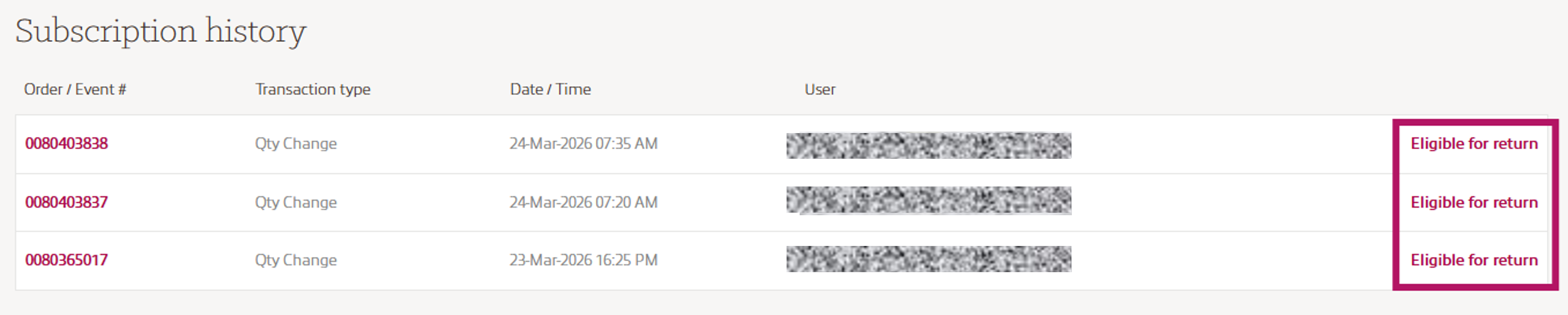
In the Subscription history part at the end of the Subscription detail page, you will find the Subscription history. If your Adobe product is eligible to return you will see an Eligible for return link next to your order.
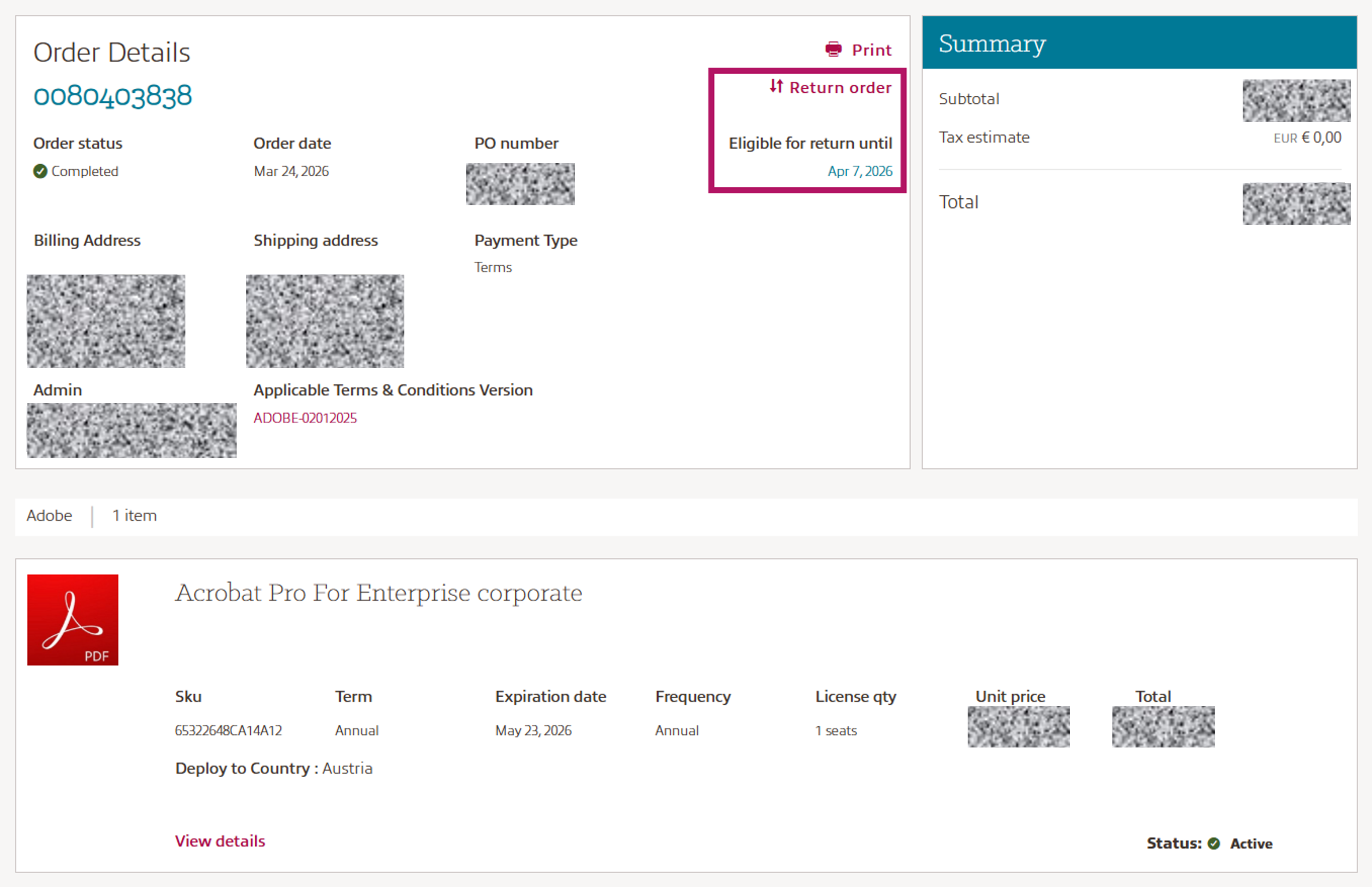
Once you click on Eligible for return, your Order Details will be presented along with the Eligible to return until date information and the Return order link.
If your order contained multiple products, you can select the products you would like to return.
Please note: You can only return the full amount of licenses per product purchased.
If you want to return some licenses, please return the hole product and repurchase the product again with the quantity needed.