Insight's Cloud Commerce Platform (CCx) User Guide
11-2 - Adobe Manage Quantities
How to manage quantities for Adobe VIP marketplace products:
CCx is your platform to get the licenses you need. Manage quantities of existing subscriptions can be done using the following method:
To use the Manage quantity functionality, please navigate to the subscription detail page. On the subscription detail page, you will see a link on the left called Manage subscriptions. This will present a spinner while a call to Adobe will bring back the information on what quantity modifications can be made for your Adobe contract
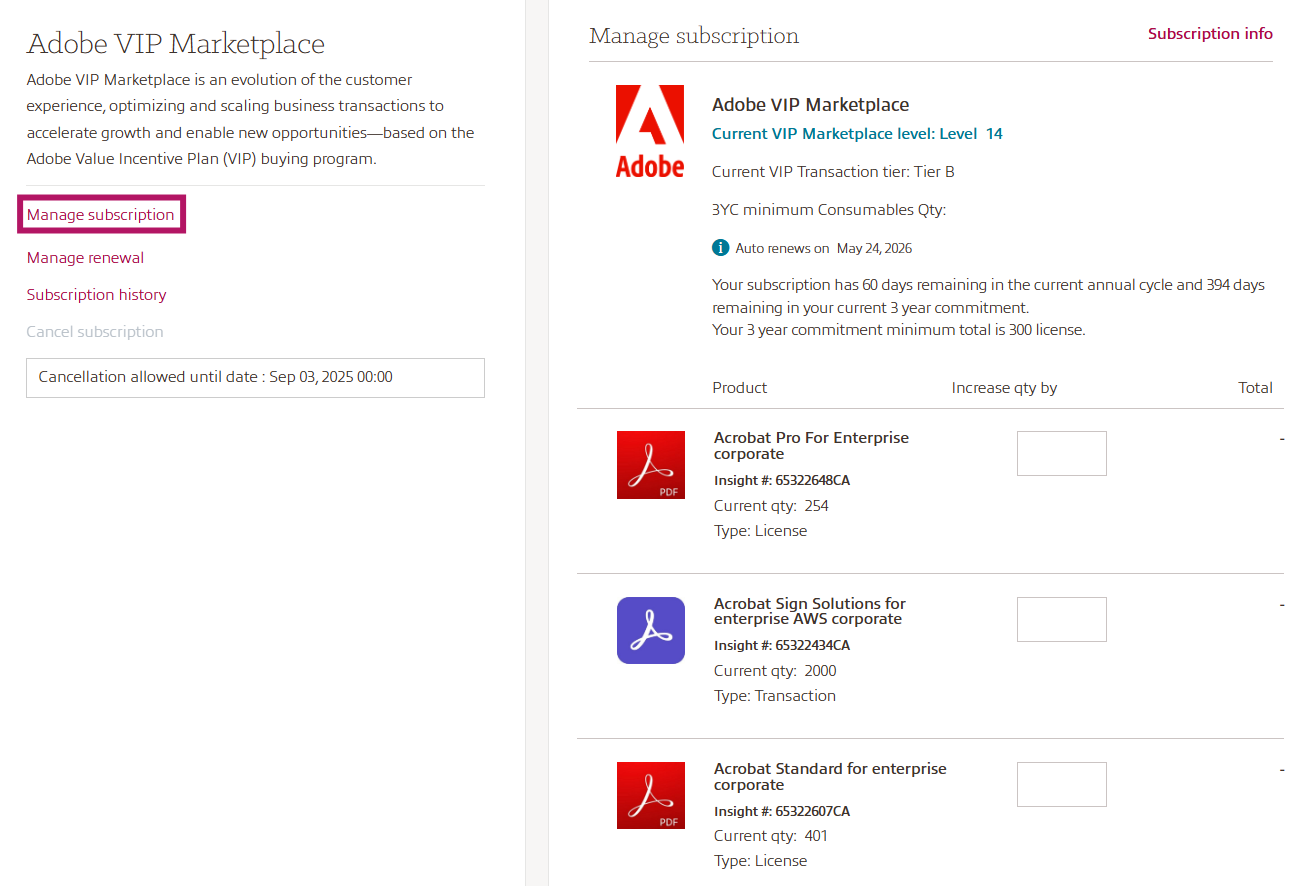
- You can click Subscription info to return to the Subscription details page at any time.
- You will see the current license quantity for each product.
- To add additional licenses, type in the number of licenses you want to add in the Increase qty by box and click Update all quantities, the pro-rated price will be displayed.
- Check your Payment method, add a Purchase Order (PO) number if required and check your Shipping and Billing address.
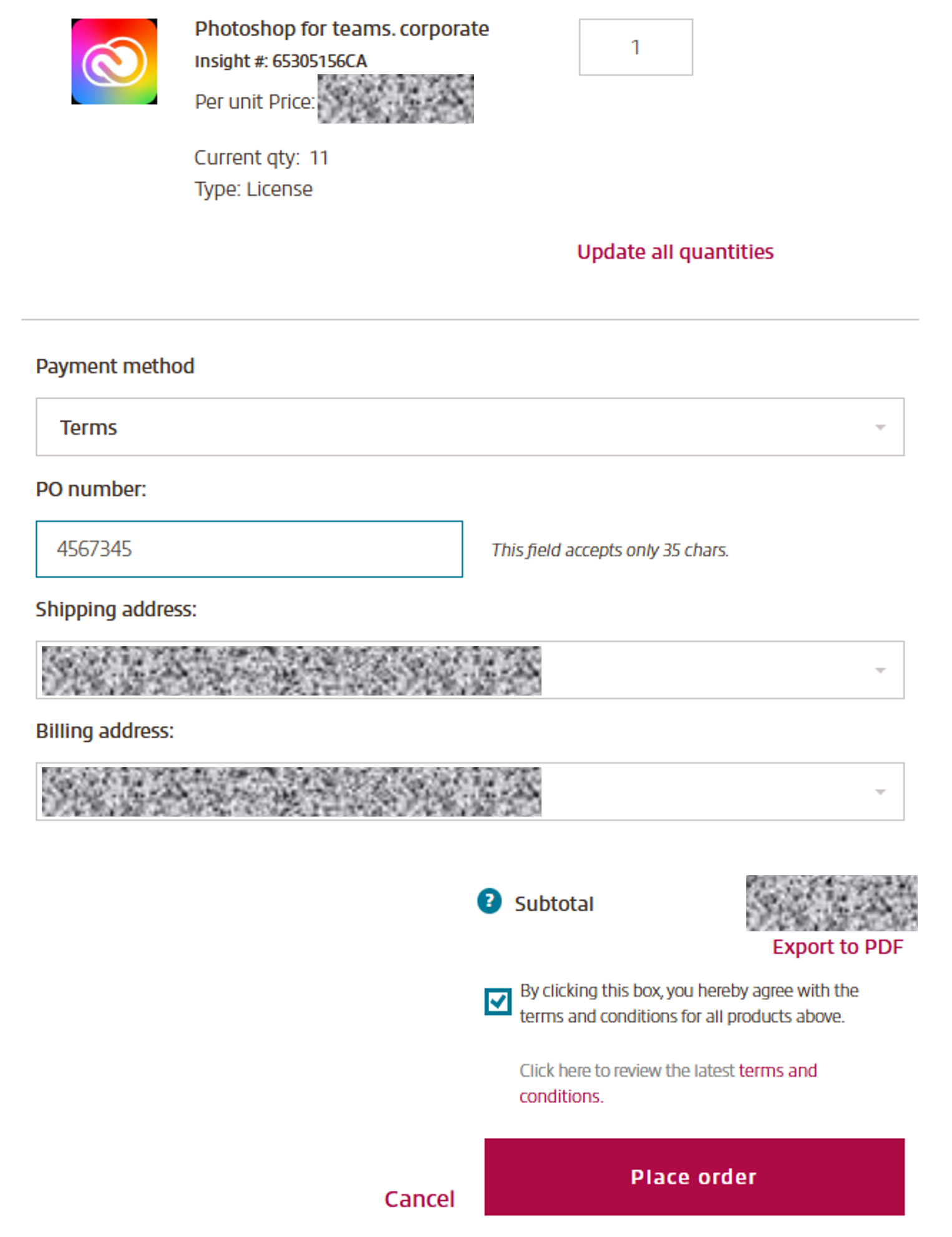
CCx keeps track of the most recent version of the Terms & Conditions (T&C) that you have accepted. If you have already accepted the latest version, you can review them by selecting Version History and no further action is required.
If needed, you can export your manage quantity preferences including all details into a pdf document.
Once done, click Place order to complete the quantity change request.