Insight's Cloud Commerce Platform (CCx) User Guide
19-2 - Adobe Quotations
Create Adobe Quotes in CCx in Minutes
CCx is your platform to get the licenses you need. The following details provide instructions on how to create your Adobe quotations within CCx.
How to create your Adobe quotation for new Adobe products:
- Find the product you need by either typing the product description/key words into the Search cloud solutions field or selecting Browse all cloud solutions to view the product catalog.
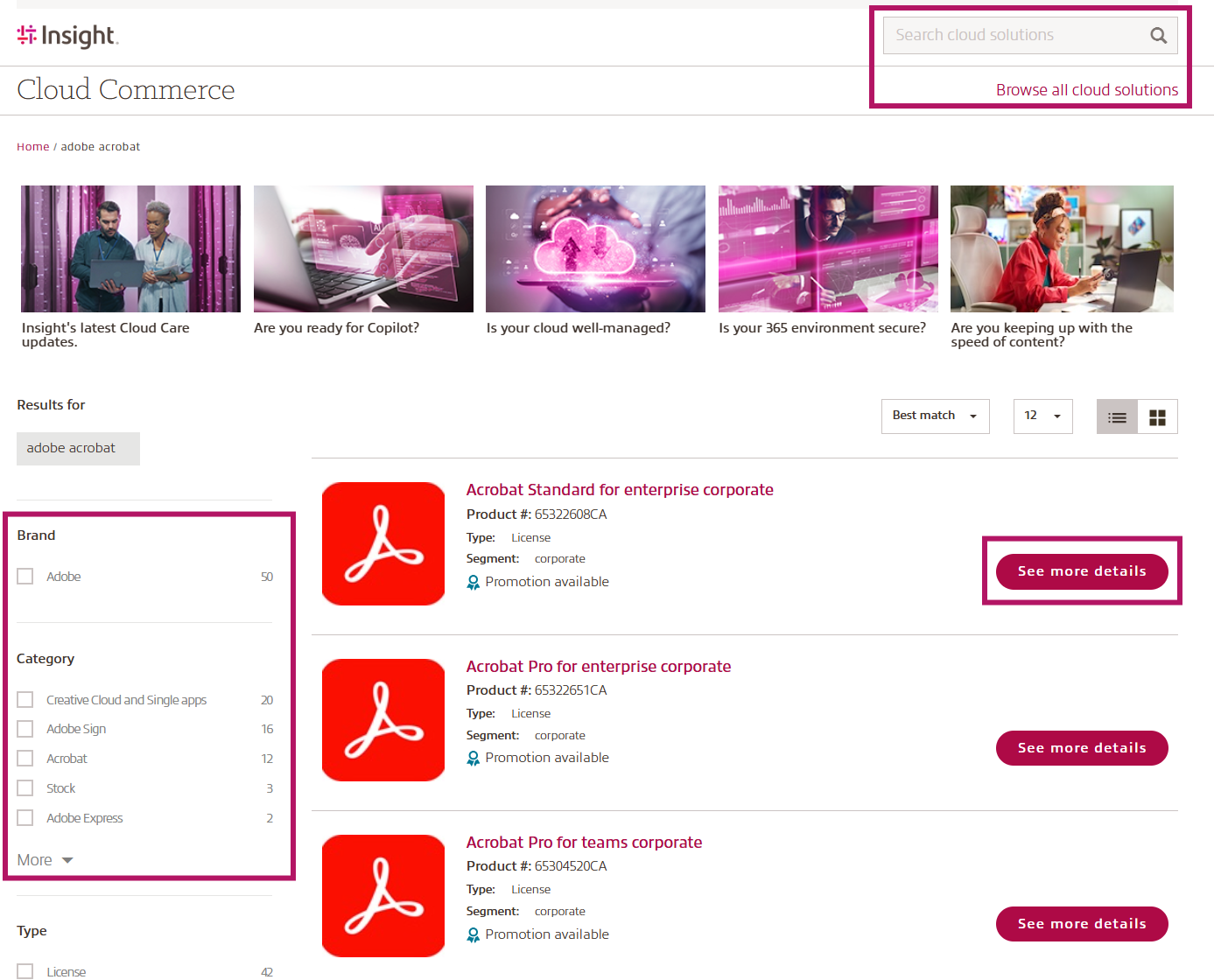
- Click See more details to be taken to the product detailed page
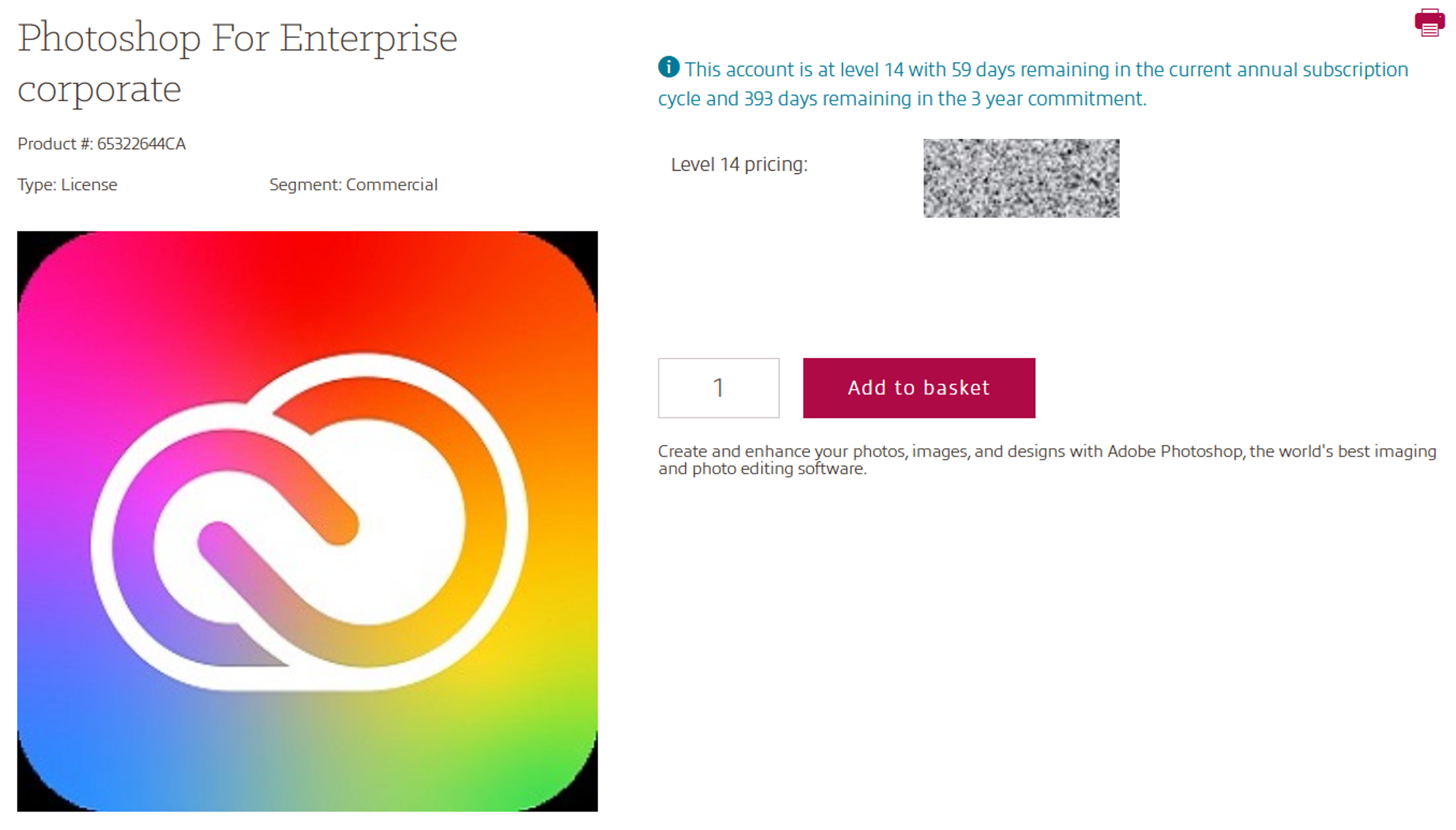
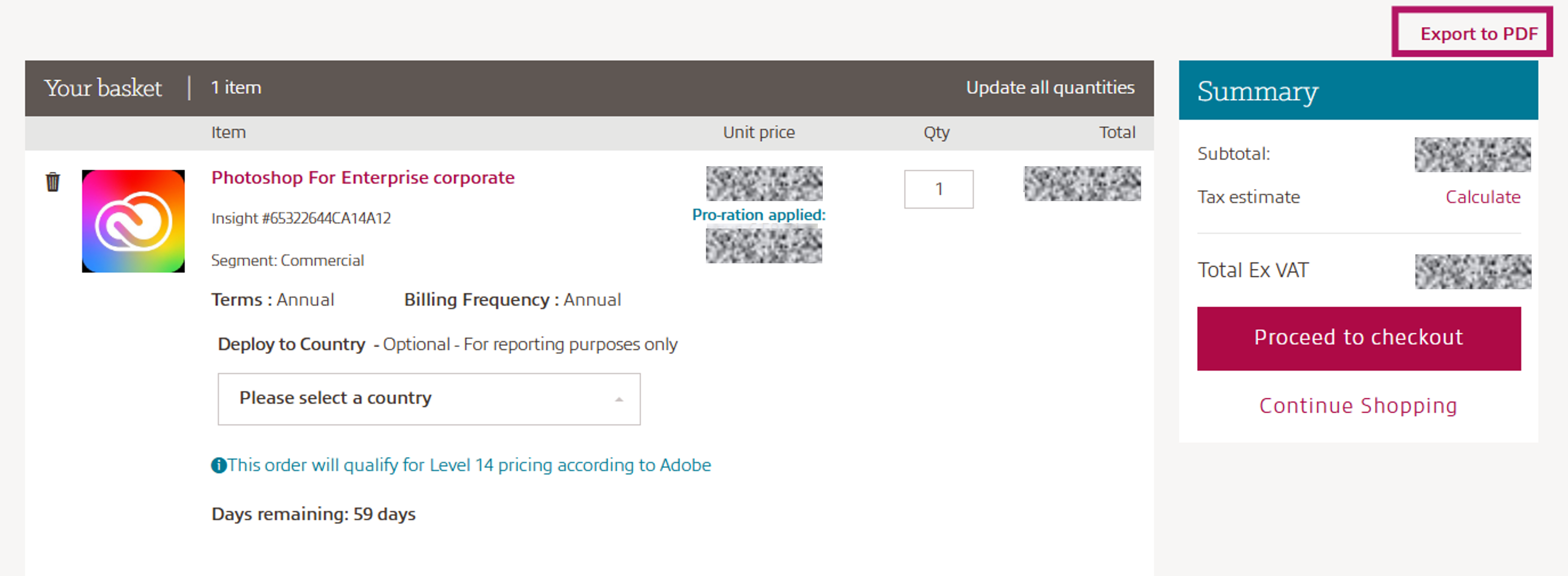
- Add your product into your basket and select Continue to checkout
- Select Export to PDF and download quote. Please note, licenses prorate daily so the cost will be less if you purchase the licenses a day or more after the quote is exported.
How to create your Adobe quotation for products you already purchased:
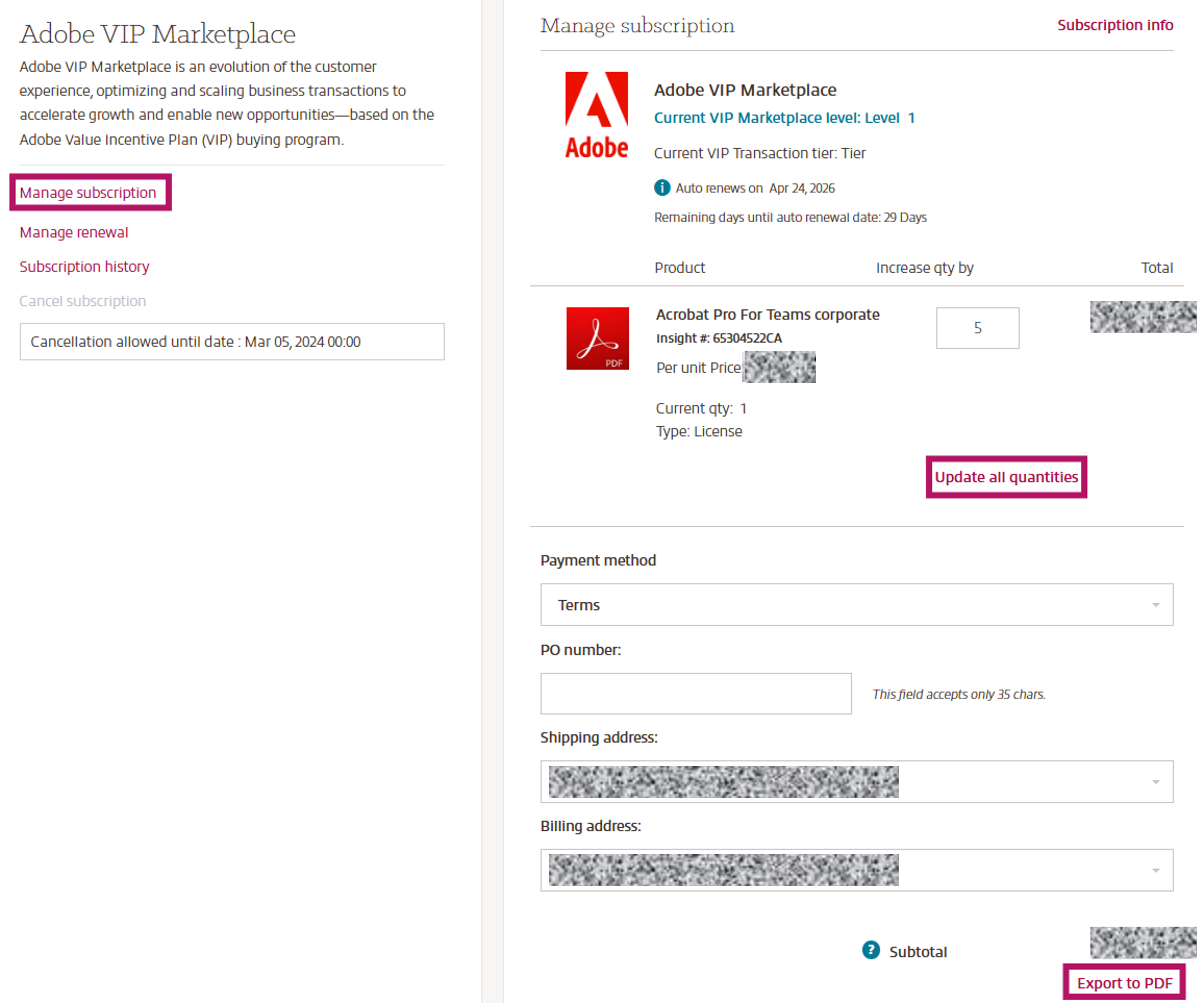
- Go to Manage subscription on your subscription details page.
- Add the quantity you need a quotation for
- Click Update all quantities
- Select Export to PDF
Please note: Licenses prorate daily so the cost will be different if you purchase the licenses a day or more after the quote is created.