Insight Cloud Commerce Platform (CCx) User Guide
5-2 Adobe Subscription Details Page
Adobe Subscription Details Page
When you log into CCx, you will land on the Dashboard page. Use the top menu to navigate to the Subscriptions list page.
This is the main page from which you will be able to view and manage your Insight Cloud Care purchases.
The Subscriptions table for Adobe VIP marketplace, AWS, Microsoft 365-seat based & Software Subscriptions is at the top of the page, and if applicable, the Perpetual Software table is at the bottom.
Use the filter options to only display products from selected cloud providers, subscription type, status or the manufacturer.
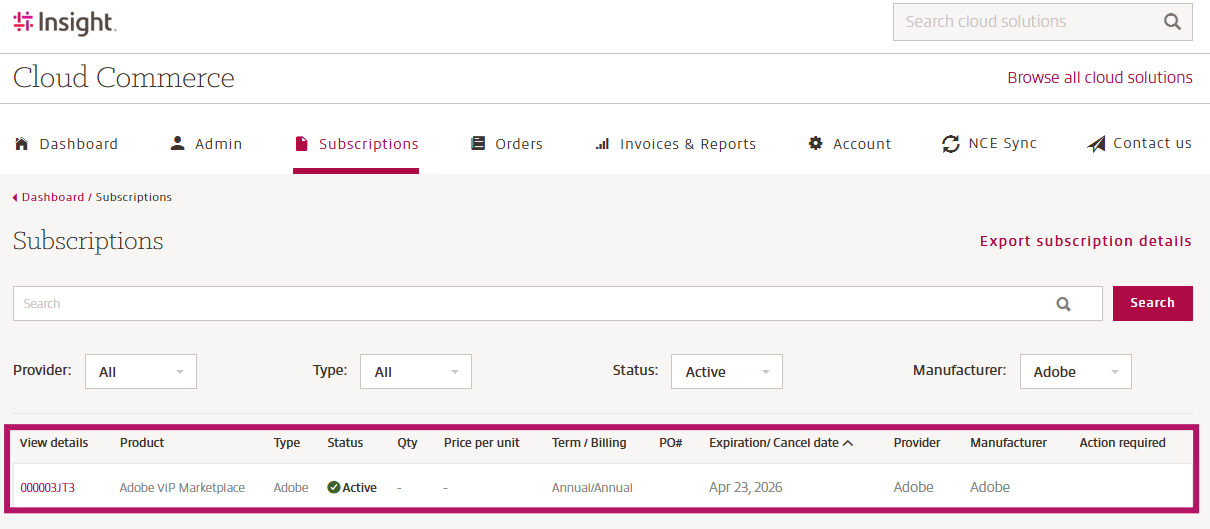
The entire subscription row is clickable and clicking anywhere within the line will take you to the Subscription / Product detail page where you can view the details of the specific product and if possible, make any desired changes.
The Subscription / Product detail includes the specifics of your Insight Cloud Care product, with the Subscription page content varying slightly from the Product page, which is for Perpetual purchases only. The details displayed on the page include:
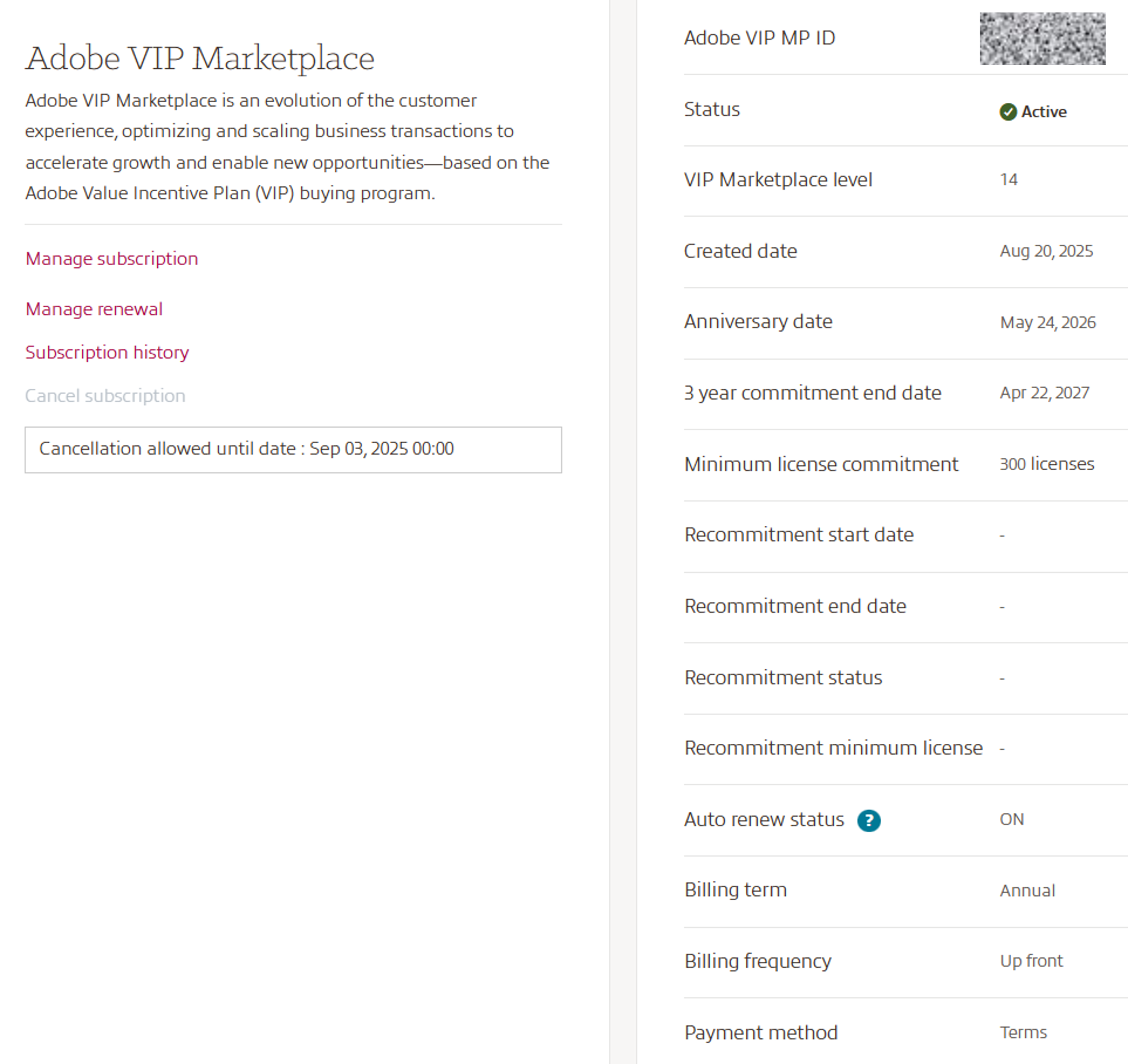
- Adobe VIP MP ID: Your Adobe VIP MP ID
- Status: the current status of the subscription / product
- VIP Marketplace level
- Created date
- Anniversary date
- 3-year commitment end date
- Minimum license commitment
- Recommitment start date
- Recommitment end date
- Recommitment status
- Recommitment minimum license
- Auto renew status
- Billing term
- Billing frequency
- Payment Method: current payment method set for the product.
Below the subscription details, you can find all associated products to your Adobe VIP subscription:
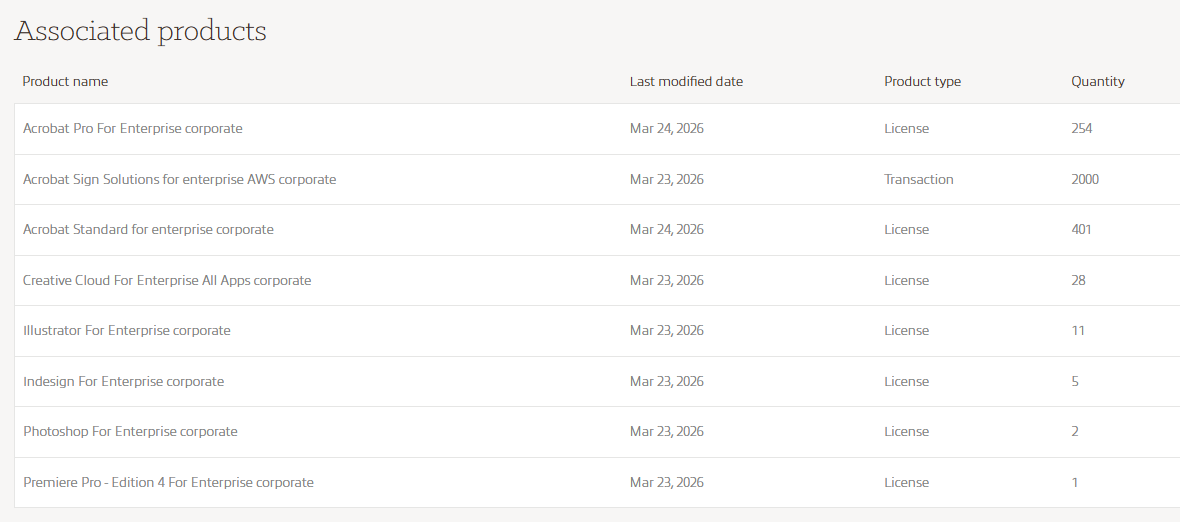
- Product name
- Last modified date
- Product Type
- Quantity
The last information shown on the subscription details page is the subscription history:

- Order / Event #: Including a link to the order details
- Transaction type: Qty change, Initial, Auto Renew On/ Off
- Date / Time
- User
- Eligible for return Y/N