Insight's Cloud Commerce Platform (CCx) User Guide
20 - Archera Sign Up
How to sign up for Archera within CCx
As part of our ongoing support for your cloud journey, Insight has partnered with Archera to provide free access to the Archera Platform via the Insight Cloud Commerce Platform (CCx) at https://buy.insight.com
How do I access Archera?
Archera can be activated directly through CCx:
- Log in to https://buy.insight.com
- Search for Archera under Search Cloud Solutions
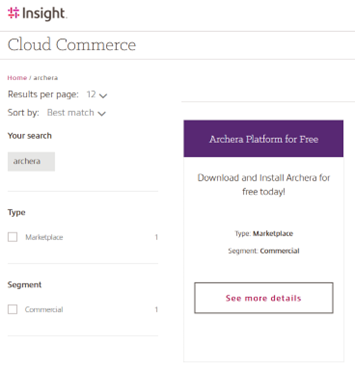
- Select Archera Platform for Free and add it to your basket
- Complete the checkout process
- Activate Archera using the activation link within CCx
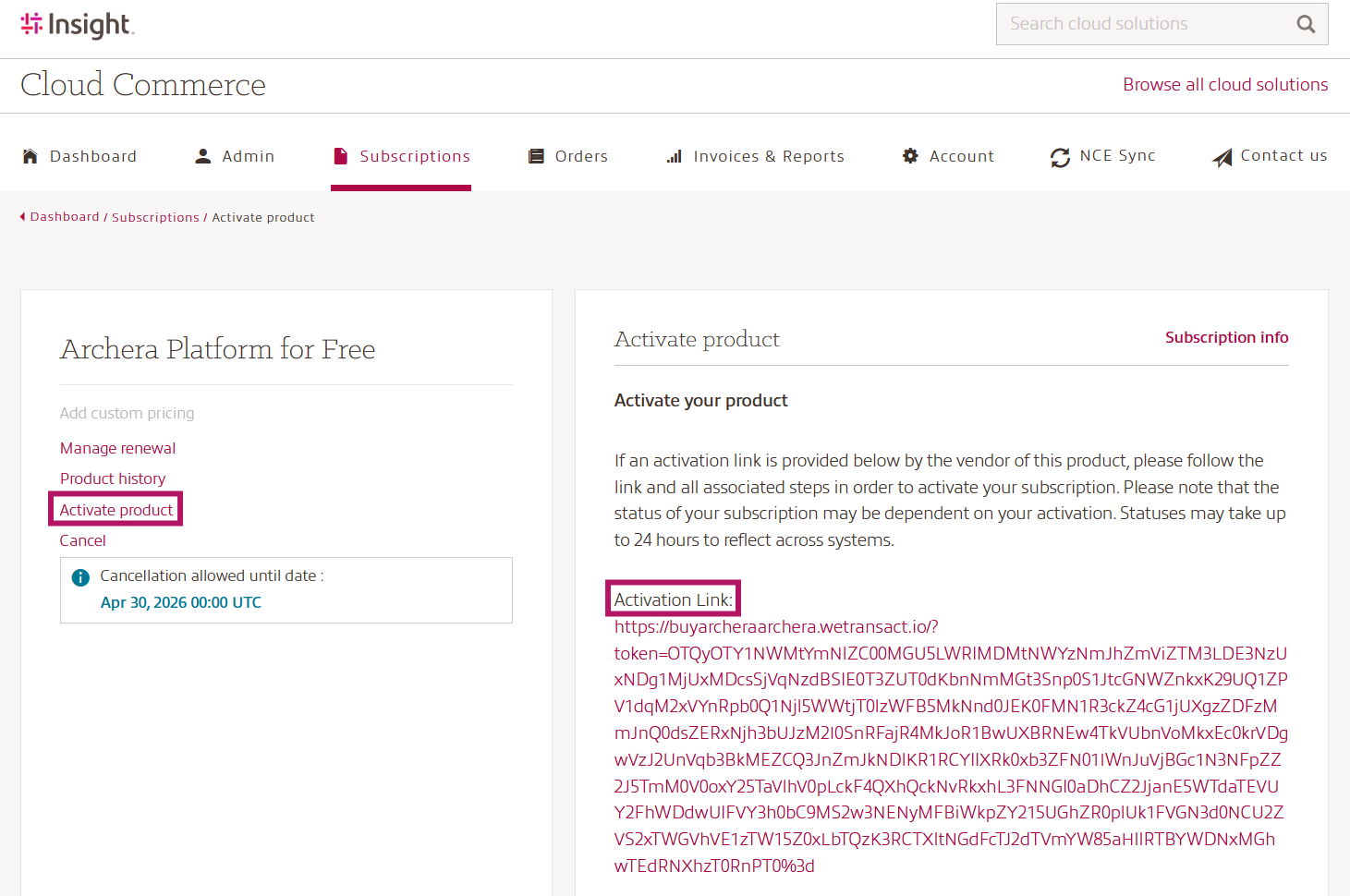
- On the Archera Login page, click Sign up now for free to create your Archera account
- Complete the Archera onboarding
More information about the Insight & Archera partnership and the benefits available to our Cloud Care customers can be found here.