Insight's Cloud Commerce Platform (CCx) User Guide
15-1 - Microsoft Manage Billing Preferences
How to manage billing preferences for Microsoft CSP products:
CCx is your platform to get the licenses you need. The following details provide instructions on how to manage billing preference within CCx..
How to manage Microsoft billing preferences:
On the Subscription detail page, you will see a link on the left called Manage billing preferences. In the Manage billing preferences screen, click on Update billing term & billing frequency. You can then make immediate changes to the term and billing frequency.
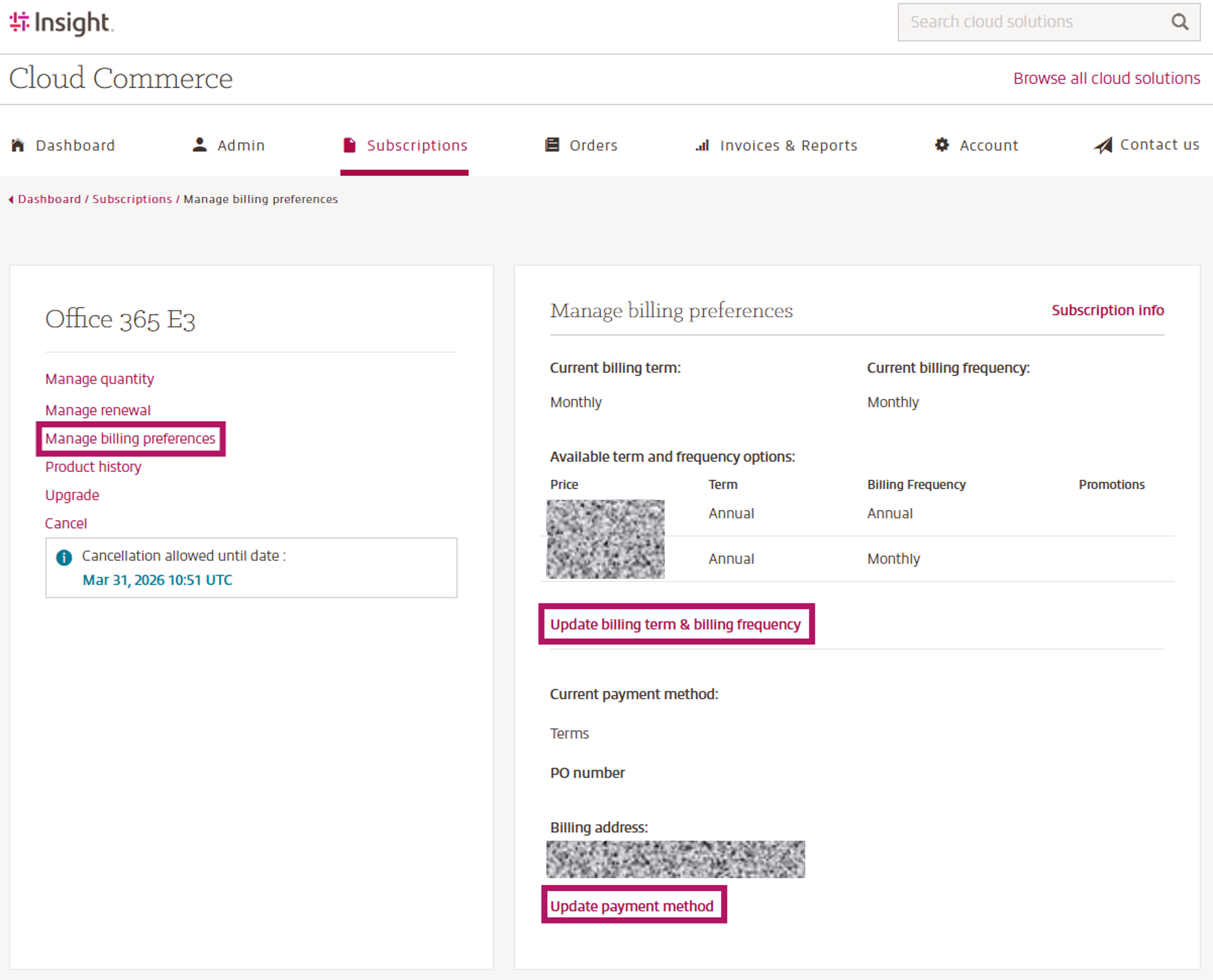
For example, if you have a monthly term / monthly billed subscription, you can choose to change to an annual term / monthly billed subscription. If you see “No change” under Available term and frequency options, the change is not allowed as an immediate action by Microsoft and can be scheduled through the Manage renewal screen at the renewal.
Microsoft does not allow any term or billing frequency changes for End of Sale (EOS) products, whether immediately or at renewal.
Add or change your Purchase Order (PO) number:
The PO Number on each subscription level in CCx is not a required field and can be used for your informational purposes. It will be displayed on your pdf invoice and Billable items report for reference.
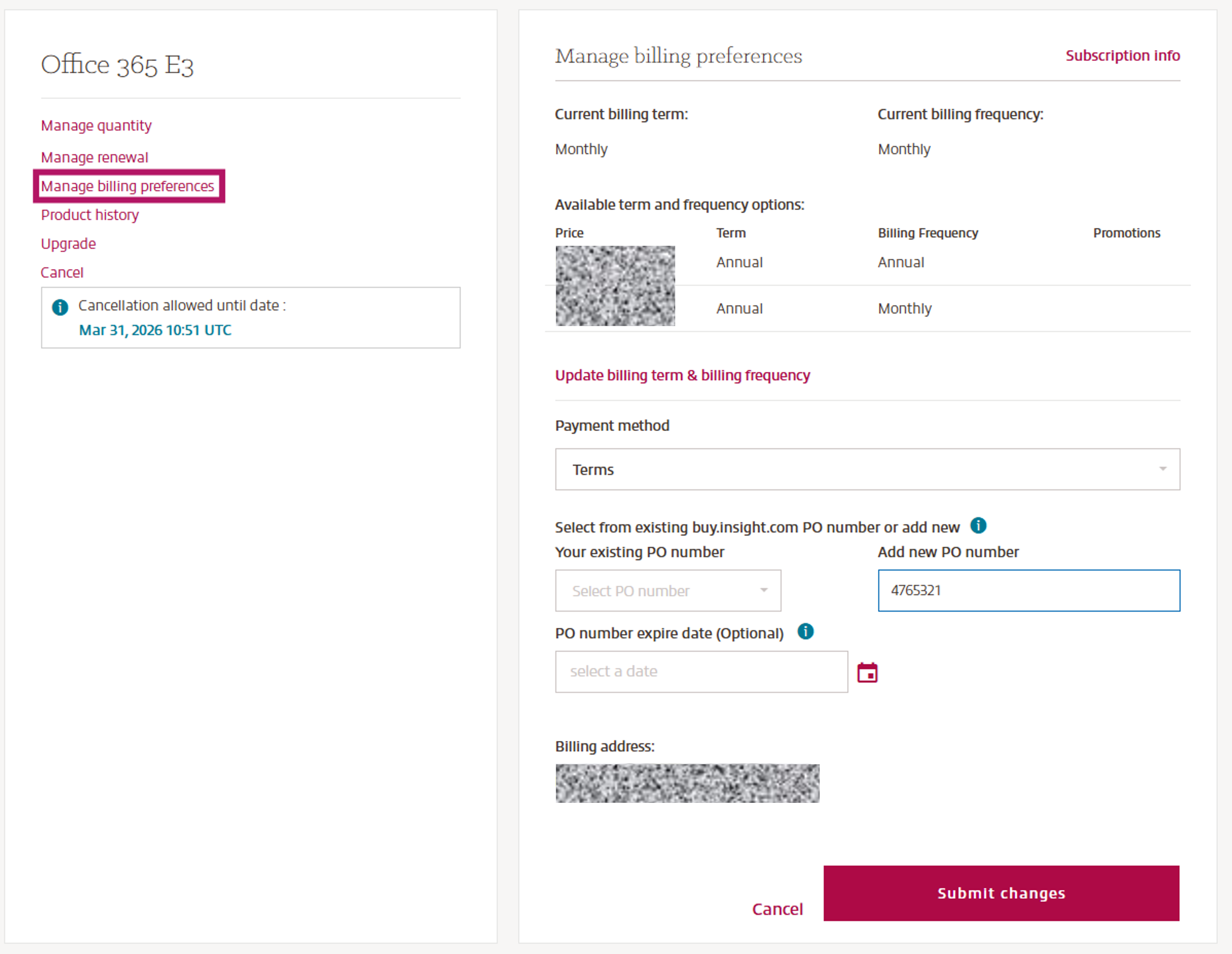
Note: You can have multiple subscriptions / products with the same PO number, but all licenses / quantity inside the same Insight subscription will display the same PO number, as set on this page.
How to update your PO number:
On the Subscription detail page, you will see a link on the left called Manage billing preferences. Click Update payment method to open the screen to make your desired PO number change.