Insight's Cloud Commerce Platform (CCx) User Guide
6 - Orders Detail Page
Orders Details
When you log into CCx, you will land on the Dashboard page. Use the top menu to navigate to the Orders List page.
This is the main page from which you will be able to view and manage your Insight Cloud Care orders.
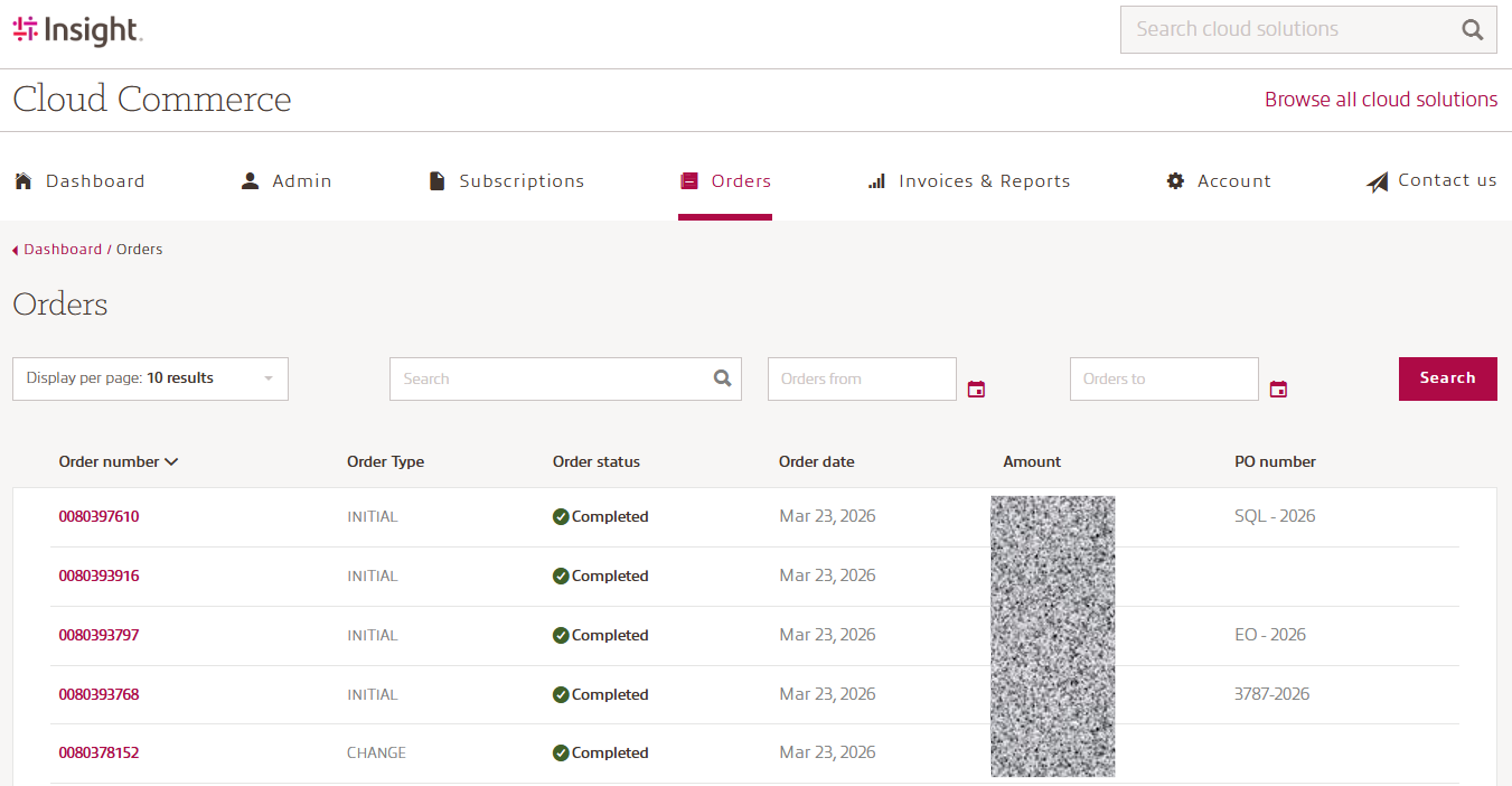
The entire row is clickable and clicking anywhere within the line will take you to the Orders Detail page where you can view the details of the specific order.
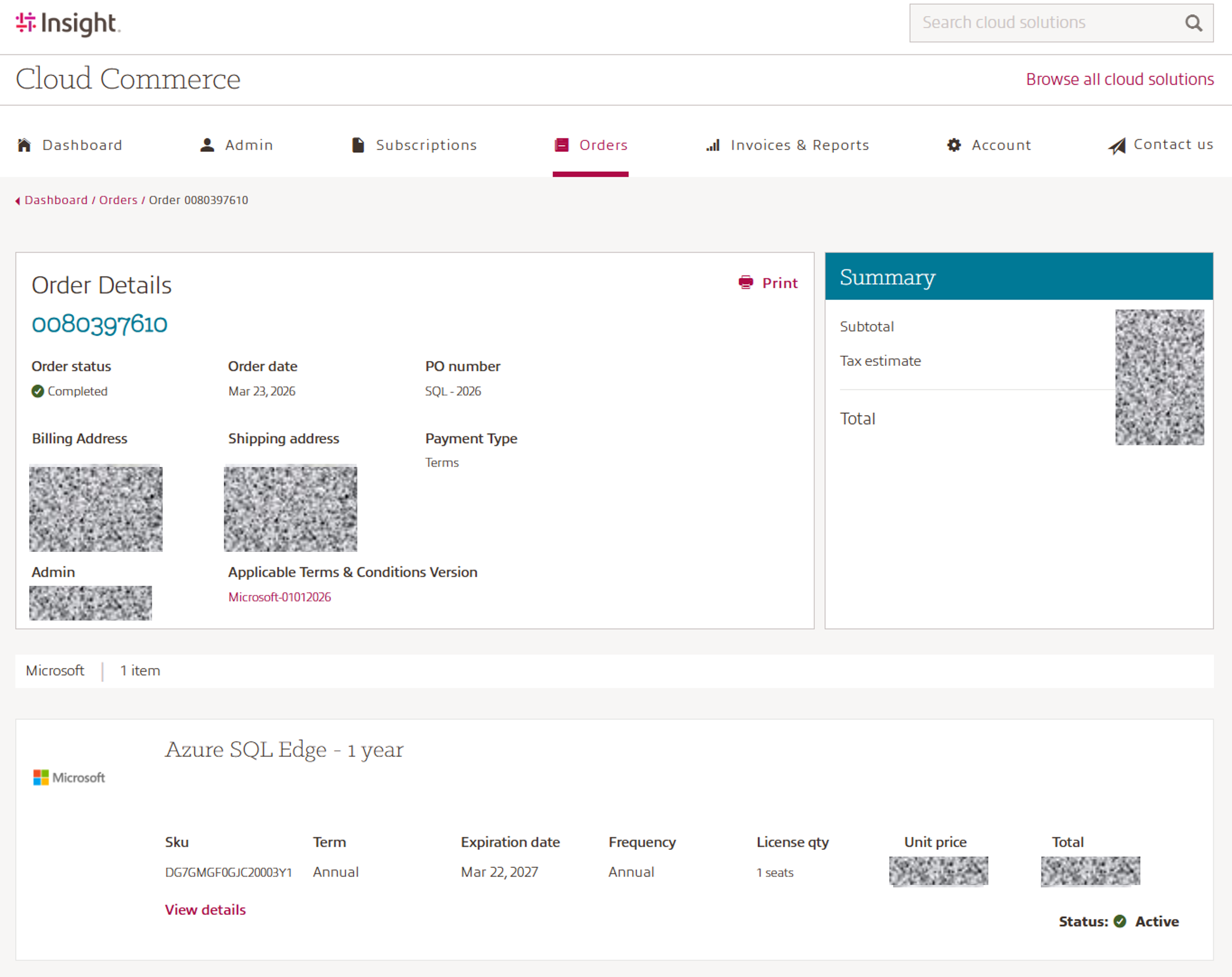
The Orders detail includes the specifics of your Insight Cloud Care orders. The details displayed on the page include:
- Order number: Insight unique order number
- Order status: Completed, In Review, Processing, Order Failed
- Order date
- PO Number
- Billing and Shipping address
- Payment Type
- Admin: Who placed the order
- Applicable Terms & Conditions Version
- Products: SKU, Term, Expiration date, Billing frequency, Quantity, Unit price, Total amount, Subscription status
- Invoice Summary: Subtotal, Tax estimate and Total
Please note: If your order is placed "In Review", your admin users will receive an email notification informing them of the current status.
In many cases, this is simply part of a routine anti-fraud verification process. If the order remains in "In Review" status for more than one hour, it may indicate that your credit limit has been reached.
In such cases, Insight's Credit & Risk team will review your order and take the necessary next steps.
An Order Confirmation email is sent to all admin users and includes a summary of your order along with its current status (e.g., Confirmed or Active).
To improve accountability and traceability, the confirmation also identifies the administrator who placed the order, providing greater visibility for business account administrators.