Insight's Cloud Commerce Platform (CCx) User Guide
18-1 - Microsoft NCE Promotions
How to make use of Microsoft NCE promotions:
CCx is your platform to get the licenses you need. The following details provide instructions on how NCE promotions are handled within CCx.
Promotions are available on CCx from cloud providers like Microsoft.
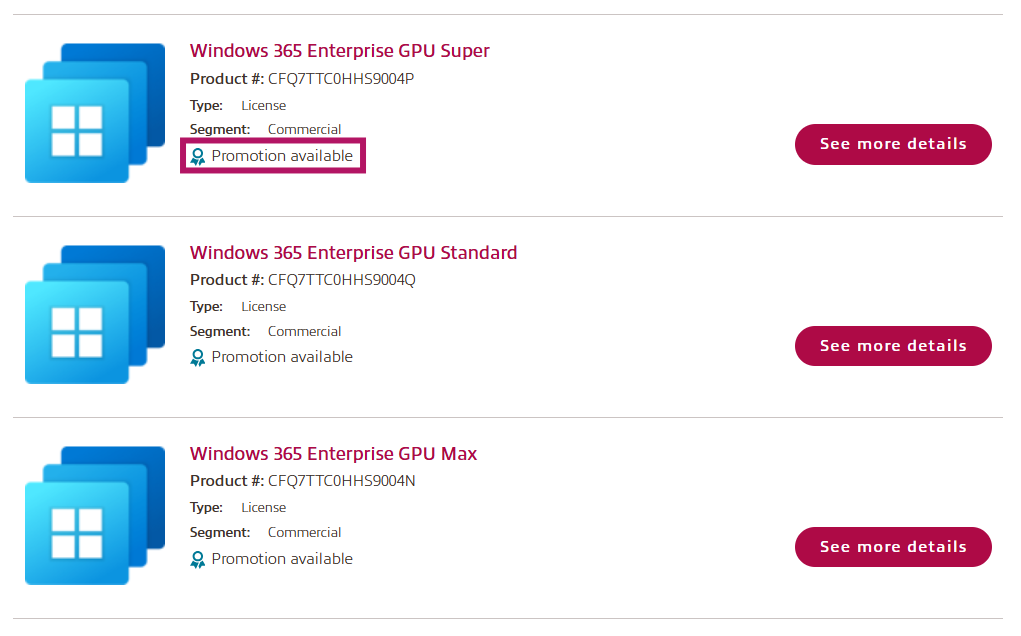
Products with available promotions can be seen in the product search window.
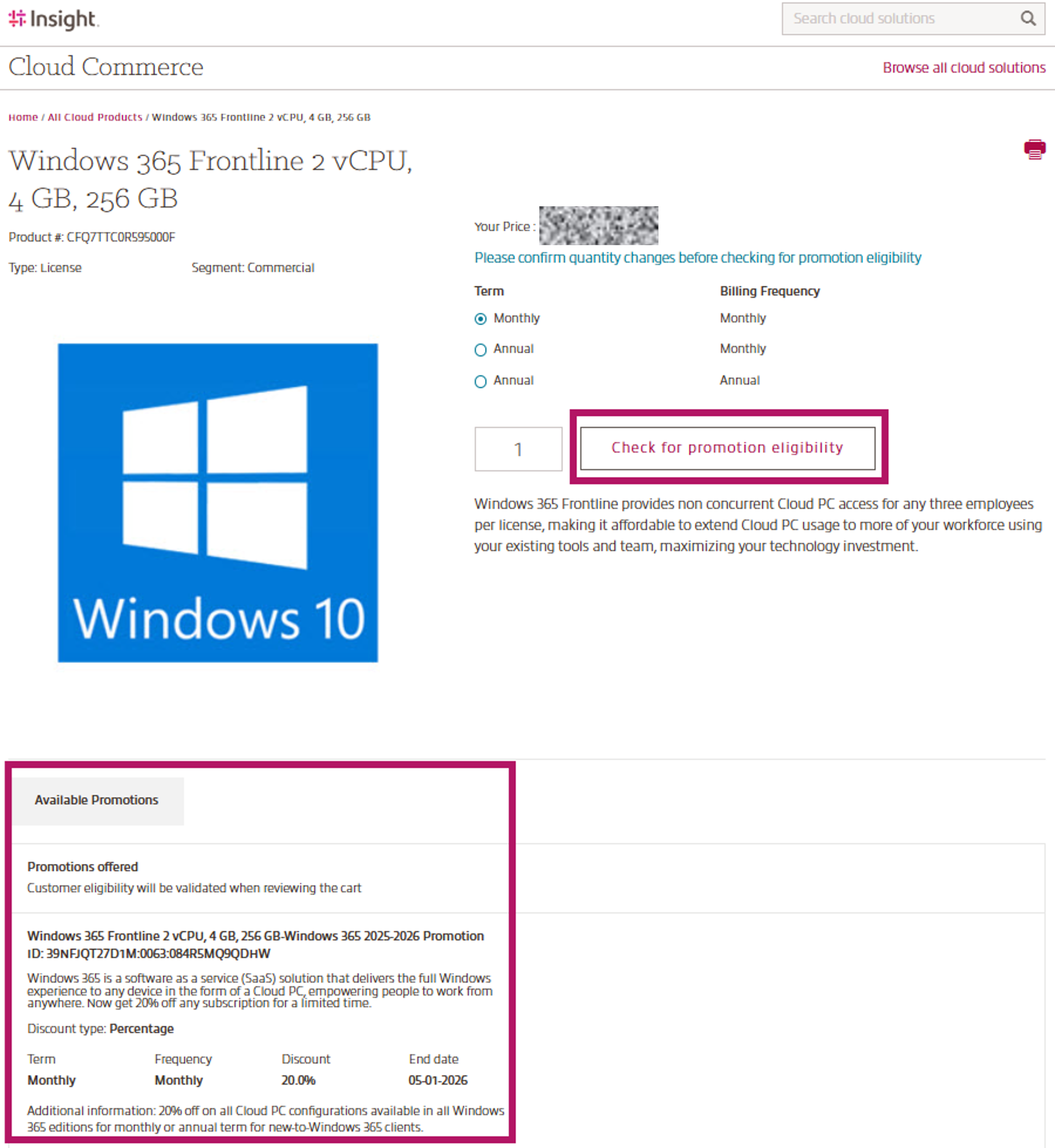
Details for each promotion can be viewed on the product details page in the Available Promotions section below the product details.
Promotion eligibility is determined by the cloud provider. To verify if you are eligible for a promotion, click the Check for promotion eligibility button.
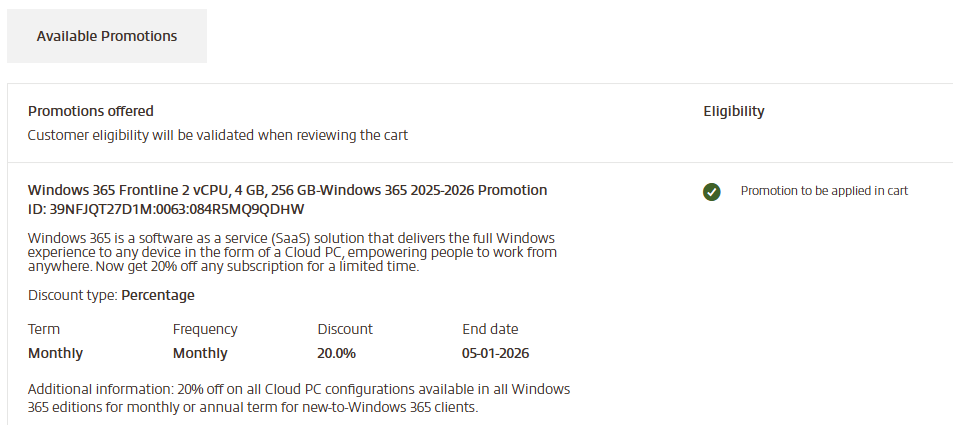
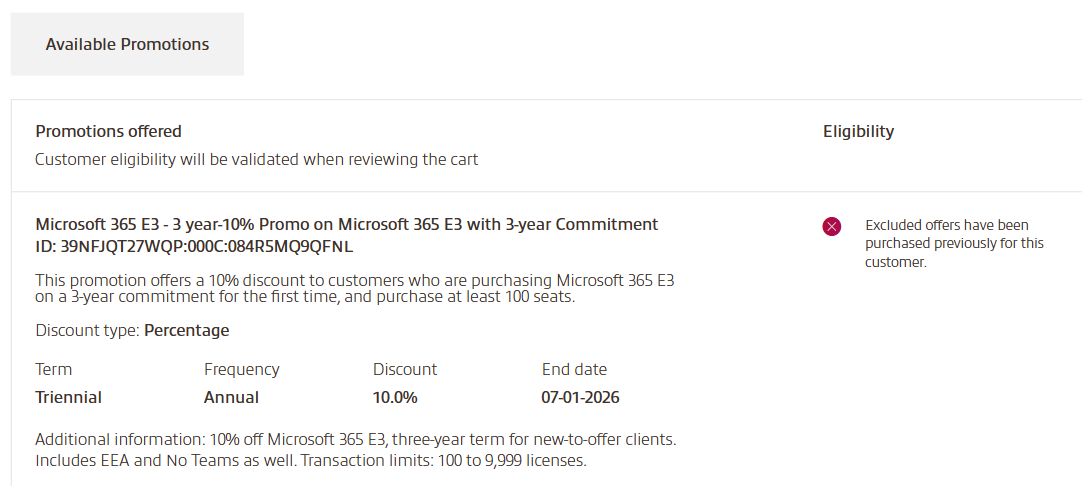
After clicking the Check for promotion eligibility button, the Available Promotions info will be updated and show status whether you're eligible or not and the reason for being ineligible.
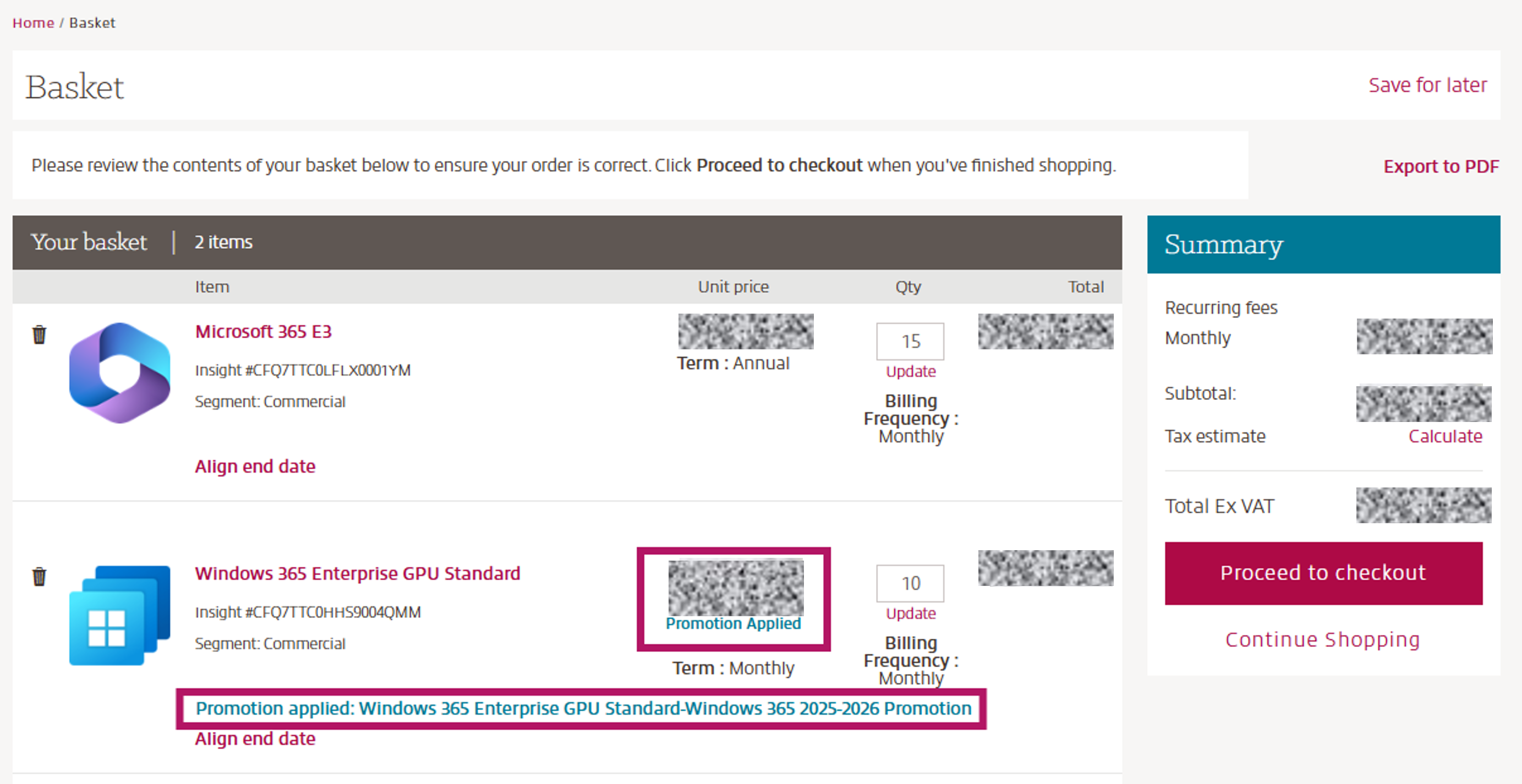
Once product is added to your basket, you'll be able to see the Promotion applied (if eligible) and you will also see a strikethrough on the unit price, and a Promotion applied message with the new unit price in the cart.
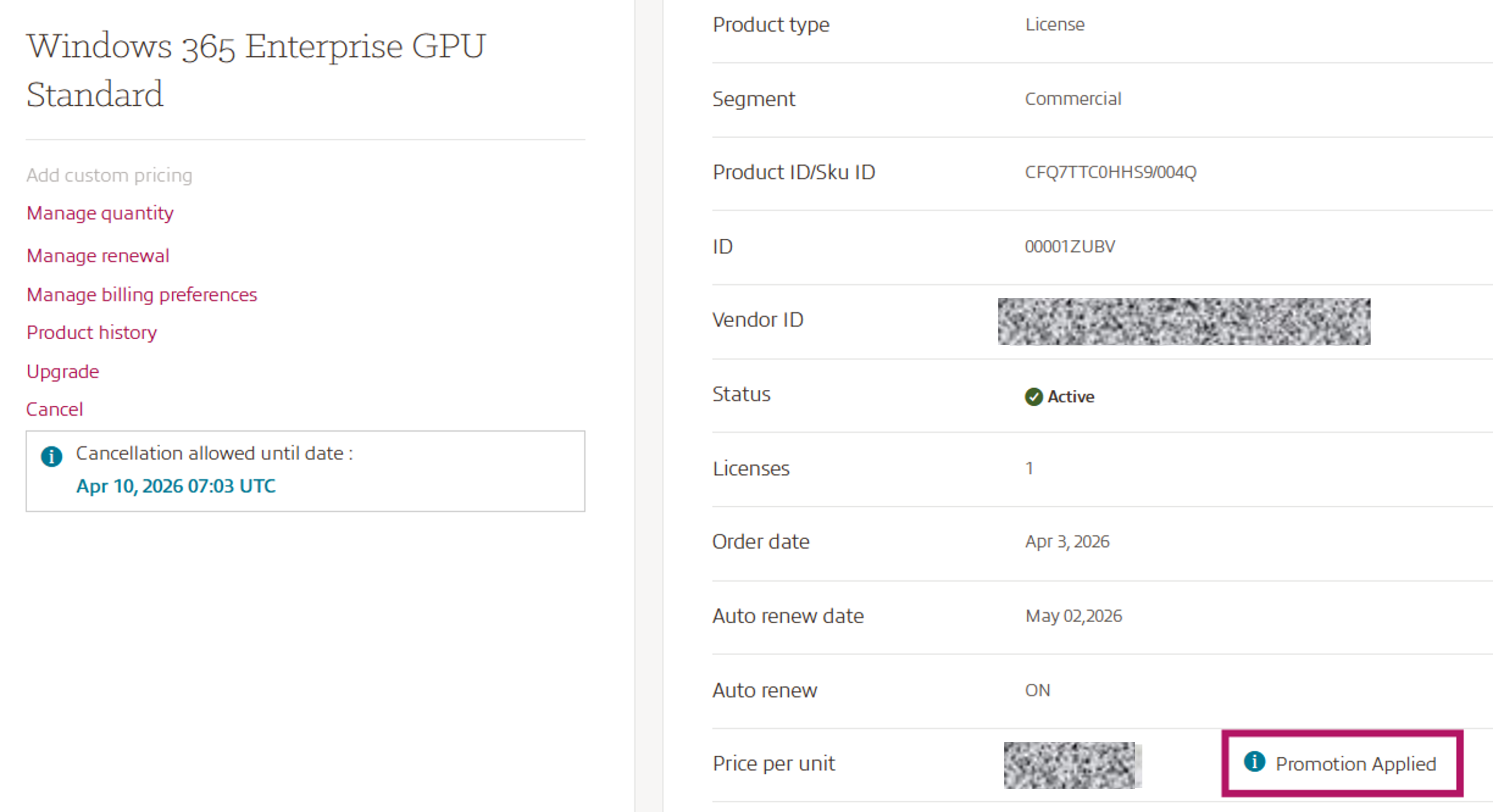
If a promotion is applied to your subscription, it will be displayed on the subscription details page.
Please note: Promotions are applied at the subscription level, meaning that any additional seats added to the same subscription will also receive the applicable promotional pricing.
A list of the current promotions can be found in the New Commerce Experience (NCE) Promotions page on our Insight Cloud Care Update page.